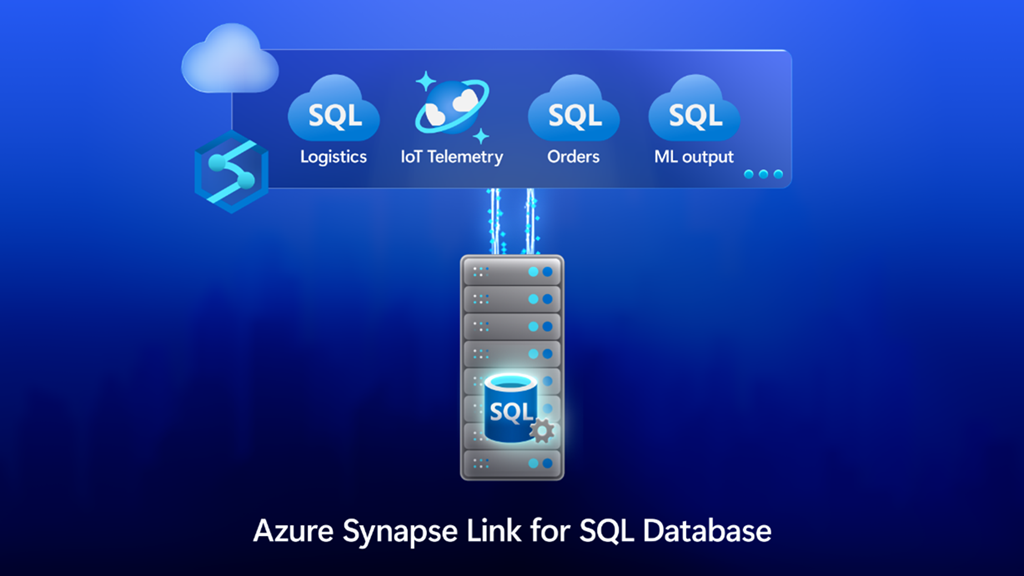
“Shifting from a legacy on-premises data warehouse to Azure Synapse, supported by Datometry, has allowed us to virtualize the vast majority of our code without needing to repoint it. We have gained speed, performance, and agility while reducing costs and taken a big step forward in modernizing our enterprise data storage and management.”—Charlotte Lock, Director of Data, Digital & Loyalty at Co-op.
Sunday, 11 September 2022
Gain deeper insights with Microsoft Intelligent Data Platform
Thursday, 7 July 2022
How to choose the right Azure services for your applications—It’s not A or B
If you have been working with Azure for any period, you might have grappled with the question—which Azure service is best to run my apps on? This is an important decision because the services you choose will dictate your resource planning, budget, timelines, and, ultimately, the time to market for your business. It impacts the cost of not only the initial delivery, but also the ongoing maintenance of your applications.
Read More: PL-900: Microsoft Power Platform Fundamentals
Traditionally, organizations have thought that they must choose between two platforms, technologies, or competing solutions to build and run their software applications. For example, they ask questions like: Do we use Web Logic or WebSphere for hosting our Java Enterprise applications?, Should Docker Swarm be the enterprise-wide container platform or Kubernetes?, or Do we adopt containers or just stick with virtual machines (VMs)? They try to fit all their applications on platform A or B. This A or B mindset stems from outdated practices that were based on the constraints of the on-premises world, such as packaged software delivery models, significant upfront investments in infrastructure and software licensing, and long lead times required to build and deploy any application platform. With that history, it’s easy to bring the same mindset to Azure and spend a lot of time building a single platform based on a single Azure service that can host as many of their applications as possible—if not all. Then companies try to force-fit all their applications into this single platform, introducing delays and roadblocks that could have been avoided.
There's a better approach possible in Azure that yields higher returns on investment (ROI). As you transition to Azure, where you provision and deprovision resources on an as-needed basis, you don't have to choose between A or B. Azure makes it easy and cost-effective to take a different—and better—approach: the A+B approach. An A+B mindset simply means instead of limiting yourself to a predetermined service, you choose the service(s) that best meet your application needs; you choose the right tool for the right job.
Sunday, 6 June 2021
Deliver Java apps quickly using Custom Connectors in Power Apps
In 2021, each month we will be releasing a monthly blog covering the webinar of the month for the Low-code application development (LCAD) on Azure solution. LCAD on Azure is a new solution to demonstrate the robust development capabilities of integrating Low-code Microsoft Power Apps and the Azure products you may be familiar with.
More Info: MS-700: Managing Microsoft Teams
In this blog, I will briefly recap Low-code application development on Azure, how the app was built with Java on Azure, app deployment, and building the app’s front end and user interface (UI) with Power Apps.
What is Low-code application development on Azure?
Low-code application development (LCAD) on Azure was created to help developers build business applications faster with less code, leveraging the Power Platform, and more specifically Power Apps, yet helping them scale and extend their Power Apps with Azure services.
For example, a pro developer who works for a manufacturing company would need to build a line-of-business (LOB) application to help warehouse employees track incoming inventory. That application would take months to build, test, and deploy. However, with Power Apps’ it can take hours to build, saving time and resources.
However, say the warehouse employees want the application to place procurement orders for additional inventory automatically when current inventory hits a determined low. In the past, this would require another heavy lift by the development team to rework their previous application iteration. Due to the integration of Power Apps and Azure, a professional developer can build an API in Visual Studio (VS) Code, publish it to their Azure portal, and export the API to Power Apps integrating it into their application as a custom connector. Afterward, that same API is re-usable indefinitely in the Power Apps’ studio for future use with other applications, saving the company and developers more time and resources.
Java on Azure Code
In this webinar the sample application will be a Spring Boot application, or a Spring application on Azure, that is generated using JHipster and will deploy the app with Azure App service. The app’s purpose is to catalog products, product descriptions, ratings, and image links, in a monolithic app. During the development of the API Sandra used H2SQL, and in production, she used MySQL. She then adds descriptions, ratings, and image links to the API in a JDL studio. Lastly, she applies the API to her GitHub repository prior to deploying to Azure App service.
Deploying the Sample App
Sandra leverages the Maven plug-in in JHipster to deploy the app to Azure App service. After providing an Azure resource group name due to her choice of ‘split and deploy’ in GitHub Actions, she only manually deploys once, and any new Git push from her master branch will be automatically deployed. Once the app is successfully deployed, it is available at myhispter.azurewebsites.net/V2APIdocs, where she copies the Swagger API file into a JSON, which will be imported into Power Apps as a custom connector.
Front-end Development
The goal of the front-end development is to build a user interface that end-users will be satisfied with, to do so the JSON must be brought into Power Apps as a custom connector so end users can access the API. The first step is to import the open API into Power Apps; note that much of this process has been streamlined via the tight integration of Azure API management with Power Apps.
After importing the API, you must create a custom connector and connect that custom connector with the Open API the backend developer built. After creating the custom connector, Dawid used Power Apps logic formula language to collect data into a dataset, creating gallery display via the collected data. Lastly, Dawid will show you the data in a finalized application and walk you through the process of sharing the app with a colleague or making them a co-owner. Lastly, once the app is shared, Dawid walks you through testing the app and soliciting user feedback via the app.
Source: microsoft.com
Wednesday, 12 May 2021
Low-code development series: Modernize your IoT future with Azure and Microsoft Power Platform
In 2021, each month there will be a monthly blog covering the webinar of the month for the low-code application development (LCAD) on Azure solution. LCAD on Azure is a solution to demonstrate the robust development capabilities of integrating low-code Microsoft Power Apps and the Azure products you may be familiar with.
In this blog, I will briefly recap LCAD on Azure, provide an overview of IoT on Azure and Azure Functions, how to pull an Azure Function into Microsoft Power Automate, and how to integrate your Power Automate flow into Power Apps.
What is LCAD on Azure?
LCAD on Azure was created to help developers build business applications faster with less code. Utilizing Microsoft Power Platform, and more specifically Power Apps, helps developers scale and extend their Power Apps with Azure services. For example, a pro developer who works for a manufacturing company would need to build a line-of-business (LOB) application to help warehouse employees track incoming inventory. That application would take months to build, test, and deploy. Using Power Apps, it can take only hours to build—saving time and resources.
However, say the warehouse employees want the application to automatically place procurement orders for additional inventory when current inventory hits a determined low. In the past, the development team would require another heavy lift to rework their previous application iteration. Due to the integration of Power Apps and Azure, a professional developer can build an API in Visual Studio (VS) Code, publish it to their Azure portal, and export the API to Power Apps, integrating it into their application as a custom connector.
Afterward, that same API is reusable indefinitely in the Power Apps’ studio for future use with other applications, saving the company and developers more time and resources.
IoT on Azure and Azure Functions
This webinar aims to understand how to use Azure IoT Hub and Power Apps to control an IoT device. To start, one would write the code in Azure IoT Hub to send commands directly to your IoT device. In this webinar, Samuel wrote in Node for Azure IoT Hub and wrote two basic commands: toggle fan on and off.
The commands are sent through the code in Azure IoT Hub, which at first run locally. Once tested and confirmed to be running correctly, the next question is how can one rapidly call the API from anywhere across the globe? The answer is to create a flow in Power Automate and connect that flow to Power Apps, which will be a complete dashboard that controls the IoT device from anywhere in the world. To accomplish this task, you have to first create an Azure Function, which will then be pulled into Power Automate using a Get function creating the flow.
Once you've built the Azure Function, run and test it locally first, test the on and off states through the Azure Function URL. To build a trigger for the Azure Function, in this case, a Power Automate flow, you need to create an Azure resources group to check the Azure Function and test its local capabilities. If the test fails it could potentially be that you did not create or have an access token for the IoT device. To connect a device, IoT, or otherwise to the cloud, you need to have an access token.In the webinar, Samuel added two application settings to his function for the on and off commands. After adding these access tokens and adjusting the settings of the IoT device, Samuel was able to run his Azure Function successfully.
Azure Function automated with Power Automate
After building the Azure Function, you can build your Power Automate flow to start building your globally accessible dashboard to operate your IoT device. Samuel starts by building a basic Power Automate framework, then flow, and demonstrates how to test the flow once complete. He starts with an HTTP request and implements a Get command. From there, it is a straightforward process to test and get the IoT device to run.
Power Automate flow into Power Apps
After building your Power Automate flow, you develop a simple UI to toggle the fan on and off. Do this by building a canvas Power App and importing the Power Automate flow into the app.
To start, create a blank canvas app, and name it. In the Power Apps ribbon, you select button, and pick the button’s source, selecting Power Automate and add a flow. Select the flow that is connected to the Azure IoT device—its name should be reflected in the selection menu. If everything is running correctly, your IoT device will turn on. In the webinar, Samuel is running out of time, so he creates a new Power Automate flow, which he imports into the canvas app.
Source: microsoft.com
Saturday, 19 December 2020
Six reasons customers trust Azure to run their SAP solutions
As global organizations across every industry adjust to the new normal, SAP solutions are playing an increasingly vital role in addressing immediate needs and paving a path to a resilient future. Now more than ever, companies are realizing the value of running their SAP solutions in the cloud. While some are using advanced analytics to process their SAP data to make real-time business decisions, others are integrating their SAP and non-SAP data to build stronger supply chains. Whether it’s meeting urgent customer needs, empowering employees to make quick decisions, or planning for the future, customers running SAP solutions in the cloud have been well prepared to face the new reality. Check out how Walgreens delivers superior customer service with SAP solutions on Microsoft Azure.
Many organizations running their SAP solutions on-premises have become increasingly aware of the need to be more agile and responsive to real-time business needs. According to an IDC survey, 54 percent of enterprises expect the future demand for cloud software will increase. As global organizations seek agility, cost savings, risk reduction, and immediate insights from their ERP solutions, here are some reasons many of the largest enterprises choose Microsoft Azure as their trusted partner when moving their SAP solutions to the cloud.
1. Running SAP solutions on Azure delivers immediate insights and increased agility
Organizations running SAP solutions on Azure gain real-time and predictive insights that empower them to break into new ways of doing business. Azure offers the ability to tap into more than 100 cloud services, access SAP Cloud Platform, apply intelligent analytics, and also integrate with an organization’s existing productivity and collaboration tools such as Microsoft 365, Microsoft Teams, Microsoft Power Apps, and Microsoft Power BI.
With Azure, organizations can integrate their SAP and non-SAP data through an extensive portfolio of Azure data services and create real-time dashboard views of the current operations using SAP and Microsoft business intelligence tools. Using intelligent analytics deepens real-time and predictive insights to improve decision-making by responding dynamically as business conditions change, and how that change impacts your customers or products. Integration with Teams and Microsoft 365 improves team collaboration and enhances user experience and productivity. Using Microsoft Power Automate, Power Apps, and Power BI, organizations can create customized workflows, apps, and business insight reports without having to write any code.
2. An ever-evolving and growing set of Azure cloud services drives continuous innovation
3. Running SAP solutions on Azure offers costs savings
4. Running SAP solutions on Azure offers immense flexibility and scalability
5. SAP solutions on Azure offer best-in-class security, compliance, and business continuity
6. Organizations benefit from the trusted partnership between SAP and Microsoft
Saturday, 25 July 2020
Azure Data Factory Managed Virtual Network
Security is a key tenet of Azure Data Factory. Customers want to protect their data sources and hope that data transmission occurs as much as possible in a secure network environment. Any potential man-in-the-middle or spoof traffic attack on public networks could bring problems of data security and data exfiltration.
Now we are glad to announce the preview of Azure Data Factory Managed Virtual Network. This feature provides you with a more secure and manageable data integration solution. With this new feature, you can provision the Azure Integration Runtime in Managed Virtual Network and leverage Private Endpoints to securely connect to supported data stores. Your data traffic between Azure Data Factory Managed Virtual Network and data stores goes through Azure Private Link which provides secured connectivity and eliminates your data exposure to the internet. With the Managed Virtual Network along with Private Endpoints, you can also offload the burden of managing virtual network to Azure Data Factory and protect against the data exfiltration.
High-level architecture
Azure Data Factory Managed Virtual Network terminology
Thursday, 24 October 2019
Updates to geospatial features in Azure Stream Analytics – Cloud and IoT edge
Here is a quick run-down of the new capabilities:
Geospatial indexing
Previously, to track ‘n’ number of assets in streaming data across ‘m’ number of geofence reference data points, in the geospatial context, translated into a cross join of every reference data entry with every streaming event thus resulting in an O(n*m) operation. This presented scale issues in scenarios where customers need to manage thousands of assets across hundreds of sites.
To address this limitation, Stream Analytics now supports indexing geospatial data in relevant queries. When indexed, geospatial data is joined with streaming events. Instead of generating a cross join of every streaming event with reference data, an index is created with the reference data of geospatial objects and every lookup is optimized using the index. This will enable a faster reference data lookup to O(n * log m), thereby offering support for scale that is magnitudes of order higher than what was previously possible.
Support for WKT format
GeoJSON is an open standard format designed for representing simple geographical features, along with their non-spatial attributes, based on JavaScript Object Notation. Previously, Azure Stream Analytics, did not extend support for all the types otherwise defined in GeoJSON specification. As a result, users could not successfully export some of their geospatial objects and process them in Stream Analytics.
To remedy this gap, we are adding full support for WKT geospatial format in Stream Analytics. This format is natively supported by Microsoft SQL Server and hence can be readily used in reference data to represent specific geospatial entities or attributes. This will enable users to easily export their data into WKT and add each entry as nvarchar(max).
Geometry based calculations
Previously, in Stream Analytics we implemented Geographical calculations without the possibility of geometric projections. This would mean that users would ingress projected coordinates and expect calculations to follow geometric projections. Unfortunately, in many cases the output would not match their expectation as calculations were based on geography and were ignoring projections.
To help users overcome this limitation and to allow full fidelity projected calculations, we are moving away from geographic based computation and towards geometric calculations. This means that developers can now input their projected geo coordinates using the same functions as before, but the output will preserve their projection properties. That said, ST_DISTANCE function will continue to be the only function over geography.
Tuesday, 21 May 2019
Microsoft 365 boosts usage analytics with Azure Cosmos DB – Part 2
Finding the right partition key—a critical design decision
After moving to Azure Cosmos DB, the team revisited how data would be partitioned (referred to as “sharding” in MongoDB). With Azure Cosmos DB, each collection must have a partition key, which acts as a logical partition for the data and provides Azure Cosmos DB with a natural boundary for distributing data across partitions. The data for a single logical partition must reside inside a single physical partition. Physical partition management is managed internally by Azure Cosmos DB.
The Microsoft 365 usage analytics team worked closely with the Azure Cosmos DB team to optimize data distribution in a way that would ensure high performance. The team initially tried the same approach as they used with MongoDB, which was using a random GUID as the partition key. However, this required scanning all of the partitions for reads and over allocating resources for writes, making writes fast but reads slow. The team then tried using Tenant ID as the partition key but found that the vast difference in the amount of report data for each tenant made some partitions too hot, which would have required throttling, while others remained cold.
The solution lay in creating a synthetic partition key. In the end, the team solved both the slow read and too hot and too cold issues by grouping 100 documents per tenant ID into a bucket and then using a combination of tenant IDs and bucket IDs as the partition key. The bucket ID loops from 1 to n, where n is a variable and can be adjusted for each report.
Handling four terabytes of new data every day
In one region alone, more than 6 TB of data is stored in Azure Cosmos DB, with 4 TB of that written and refreshed daily. Both of those numbers are continuing to grow. The database consists of more than 50 different collections, and the largest is more than 300 GB in size. It consumes an average of 150,000 request units per second (RU/s) of throughput, scaling this number up and down as needed.
The different collections map closely to the different reports that the system serves, which in turn have different throughput requirements. This design enables the Microsoft 365 usage analytics team to optimize the number of RU/s that are allocated to each collection (and thus to each report), and to elastically scale that throughput up or down on a per-collection and per-report basis.
Built-in, cost-effective scalability and performance
With Azure Cosmos DB, the Microsoft 365 usage analytics team is delivering real-time customer insights with less maintenance, better performance, and improved availability—all at a lower cost. The new usage analytics system can now easily scale to handle future growth in the number of Office 365 commercial customers. All that was accomplished in less than five months, without any service interruptions. “The benefits of moving from MongoDB to Azure Cosmos DB more than justify the effort that it took,” says Guo Chen, Principal Software Development Manager on the Microsoft 365 usage analytics team.
Improved performance and service availability
The team’s use of built-in, turnkey geo-distribution provided a way to easily distribute reads and writes across two regions. Combined with the other work done by the team, such as rewriting the data access layer using the Azure Cosmos DB Core (SQL) API, this enabled the team to reduce the time for the majority of reads from 12 milliseconds to 3 milliseconds. The image below illustrates this performance improvement.
Tuesday, 31 July 2018
Azure cloud business value for retail and consumer goods explained
Reasons for retailers and consumer brands to move to the cloud
Cloud technologies are enabling new capabilities and those new powers are disrupting the business models of traditional retailers and sellers of consumer goods. The cloud is at the heart of digital transformation.
◈ It is changing the way technology is implemented and managed.
◈ It offers the benefit of massive scale, increased business speed, and organizational agility.
◈ It makes possible economic benefits related to variable expense, maintenance and deployment.
◈ It enables seamless consumer experiences between offline and online.
◈ It encourages differentiated experiences that wow customers.
Now you have the key to competing in today’s landscape. For these reasons, it is no longer a question of “if,” but “when” and “how” to move to the cloud for most brands.
Business value of the cloud
Evolved cost structure and transparency
Improved agility, speed and productivity
Azure cloud, made to order
Most compliant
Security matters
Possibilities to wow customers
Thursday, 12 July 2018
Securing the connection between Power BI and Azure SQL Database
Sunday, 21 January 2018
Creating your first data model in Azure Analysis Services
To understand the value of Azure Analysis Services, imagine a scenario where you have data stored in a large database. You want to make that data available to your business users or customers so they can do their own analysis and build their own reports. To do this, one option would be to give those users access to that database. Of course, this option has several drawbacks. The design of that database, including the names of tables and columns may not be easy for a user to understand. They would need to know which tables to query, how those tables should be joined, and other business logic that needs to be applied to get the correct results. They would also need to know a query language like SQL to even get started. Most often this will lead to multiple users reporting the same metrics but with different results.
With Azure Analysis Services, you can encapsulate all the information needed into a semantic model which can be more easily queried by those users in an easy drag-and-drop experience. And you can ensure that all users will see a single version of the truth. Some of the metadata included in the semantic model includes; relationships between tables, friendly table/column names, descriptions, display folders, calculations and row level security.
Once your data is properly modeled for your users to consume, Azure Analysis Services offers additional features to enhance their querying experience. The biggest of which is the option to put the data in an in memory columnar cache which can accelerate queries to sub second performance. This not only improves the query experience but by hitting the cache also reduces the query load on your underlying database.
Create an Analysis Services server in Azure
1. Go to http://portal.azure.com.
2. In the Menu blade, click New.