Tuesday, 2 July 2024

Microsoft and G42 partner to accelerate AI innovation in UAE and beyond

Microsoft and G42 partner to accelerate AI innovation in UAE and beyond

Microsoft and G42 have announced a strategic partnership aimed at accelerating AI innovation in the United Arab Emirates (UAE) and beyond. This collaboration will leverage Microsoft's extensive experience in cloud computing and AI technologies alongside G42's deep expertise in AI-driven solutions across various industries.

Strategic partnership highlights:


Expansion of partnership between Microsoft and G42 to deliver advanced AI solutions with Microsoft Azure across various industries and markets.


Microsoft will invest $1.5 billion in G42 for a minority stake in G42 and join its board of directors.
Companies will support the establishment of a $1 billion fund for developers to boost AI skills in the United Arab Emirates (UAE) and broader region.

Expanded strategic partnership:


Today, we announced a strategic investment in G42, a leading AI company in the UAE, to co-innovate and deliver advanced AI solutions with Microsoft Azure for various industries and markets across the Middle East, Central Asia and Africa.

Microsoft will invest $1.5 billion in G42 for a minority stake in the company with Brad Smith, Microsoft Vice Chair and President, joining G42’s board of directors — strengthening the long-standing collaboration and mutual synergies between the two companies. With the breadth of the Microsoft Cloud and its differentiated AI capabilities, the deal significantly advances G42’s strategy of delivering generative AI and next-generation infrastructure and services for a range of customers across financial services, healthcare, energy, government and education.

The commercial partnership is backed by assurances to the U.S. and UAE governments through a first-of- its-kind binding agreement to apply world-class best practices to ensure the secure, trusted, and responsible development and deployment of AI. Microsoft and G42 will work closely together to elevate the security and compliance framework of their joint international infrastructure. Both companies will move forward with a commitment to comply with U.S. and international trade, security, responsible AI, and business integrity laws and regulations. The work on these topics is governed by a detailed Intergovernmental Assurance Agreement between G42 and Microsoft that was developed in close consultation with both the UAE and U.S. governments.

Foundational to the partnership is G42’s trust and commitment in Microsoft’s cloud platform. G42 will expand its existing commitment to deploying Microsoft Cloud offerings, demonstrating confidence in Microsoft as its preferred partner to enhance services and deliver value-added solutions to its customers. With the partnership, G42’s data platform and other essential technology infrastructure will migrate to Microsoft Azure to benefit from industry-leading performance, scalability and security capabilities. Migrating to Azure will also support AI product development that allows G42 to create services that can scale to achieve faster delivery times for its customers globally. Together, we look forward to accelerating AI transformation in emerging markets and advancing equitable growth in AI globally.

Building on our technical co-innovation


G42 brings an excellent track record as a leader actively driving global progress and accessibility in AI technologies, and Microsoft and G42 have worked closely together to help optimize Cloud and AI solutions for the Middle East.

Last year, G42 was one of the first partners to commit to implementing Microsoft Cloud for Sovereignty offering to UAE-based organizations. G42 is helping public sector and regulated industries to use new platform capabilities for securing sensitive data, providing access to the latest cloud and AI features available on Azure public cloud, and ensuring they comply with local privacy and regulatory requirements. G42’s deep understanding of UAE sovereignty requirements and technical capabilities are central to customizing Microsoft Cloud for Sovereignty to help address customer’s specific needs.

Microsoft also announced that Jais, G42’s Arabic Large Language Model (LLM), will be available in the Azure AI Model Catalog. This model represents a significant advancement for the Arabic world in AI, offering over 400 million Arabic speakers the opportunity to explore the potential of generative AI. Jais is the world’s first Arabic LLM developed by G42 in collaboration with Cerebras, Mohamed bin Zayed University of Artificial Intelligence (MBZUAI), and Med42 LLM, a generative AI model to streamline medical reporting. The expanded partnership with Microsoft will help accelerate the adoption of G42’s groundbreaking AI products and services, such as Jais, making them available through Microsoft Azure.

Microsoft and G42 partner to accelerate AI innovation in UAE and beyond
Announced in March of this year, First Abu Dhabi Bank (FAB), the UAE’s largest bank, will collaborate with Core42, a subsidiary of G42, to accelerate its digital transformation journey leveraging Microsoft Azure trusted cloud platform for enterprises. FAB will move its datacenter and workload to Azure, enabling the bank to use Core42’s sovereign controls platform, which is built on Azure and ensures the highest standards of data sovereignty and compliance with UAE regulations.

One of the leading examples of precision medicine in action is the collaboration between G42 subsidiary M42, a global health care company, the Broad Institute of MIT and Harvard, Microsoft, and the International Center for Genetic Disease (ICGD). The partners are using Terra, a scalable and secure platform for biomedical research, to enable data sharing and analysis across different institutions and countries. Terra, powered by Microsoft Azure, allows researchers to access and analyze anonymized genomic data from the Emirati Genome Program, which has completed over 500,000 whole genome sequences to date. By applying AI technologies to this rich data source, the collaborators aim to advance clinical genomic research and disease prevention, as well as support precision medicine and life science strategies globally.

Accelerating access to digital innovation in UAE and the region


Along with providing advanced AI capabilities, the partnership will benefit regions beyond the UAE in ways that will improve how enterprises experience cloud computing. By bringing expanded low latency datacenter infrastructure to emerging markets, Microsoft and G42 will help accelerate digital transformation across key industries in those regions. This will provide countries across the Middle East, Central Asia and Africa with expanded access to services and technologies that will allow them to address the most challenging business concerns while ensuring the highest standards of security and privacy.

Furthermore, the partnership will also support the development of a skilled and diverse AI workforce and talent pool that will drive innovation and competitiveness for the UAE and broader region with the investment of $1 billion in a fund for developers.

Source: microsoft.com

Saturday, 29 June 2024

Build exciting career opportunities with new Azure skilling options

Build exciting career opportunities with new Azure skilling options

Microsoft Build is more than just a tech conference—it’s a celebration of innovation, a catalyst for growth, and a gateway to unlocking your professional potential through skilling opportunities on Microsoft Learn. In this blog, we’ll look back at some of the most exciting Microsoft Azure tools that were featured at Build 2024 and put you on the path to attain proficiency.

Unleash the power of AI by mastering intelligent app development 


Azure provides a comprehensive ecosystem of services, tools, and infrastructure tailored for the entire AI lifecycle. At Build we highlighted how your team can efficiently develop, scale, and optimize intelligent solutions that use cutting-edge technologies. 

This year at Build, Microsoft announced the general availability for developers to build and customize models in Microsoft Azure AI Studio. We recently dropped an Azure Enablement Show episode that guides viewers through building their own Copilot using Studio. Watch a demonstration of how to use prompt flow to create a custom Copilot, how to chat with the AI model, and then deploy it as an endpoint. 

Another episode focuses on new Microsoft Azure Cosmos DB developer guides for Node.js and Python, as well as a learning path for building AI chatbots using Azure Cosmos DB and Microsoft Azure Open AI. You’ll learn how to set up, migrate, manage, and utilize V Core-based Azure Cosmos DB for MongoDB to create generative AI apps, culminating in a live demo of an AI chatbot. 

If that Azure Enablement Show episode piques your interest to learn more about Azure Cosmos DB, check out the Microsoft Developers AI Learning Hackathon, where you’ll further explore the world of AI and how to build innovative apps using Azure Cosmos DB, plus get the chance to win prizes! To help you prepare for the hackathon, we have a two-part series to guide you through building AI apps with Azure Cosmos DB, which includes deep-dives into AI fundamentals, Azure Open AI API, vector search, and more.

You can also review our official collection of Azure Cosmos DB learning resources, which includes lessons, technical documentation, and reference sample codes.

Looking for a more structured lesson plan? Our newly launched Plans on Microsoft Learn now provides guided learning for top Azure tools and solutions, including Azure Cosmos DB. Think of it as a structured roadmap for you or your team to acquire new skills, offering focused content, clear milestones, and support to speed up the learning process. Watch for more official Plans on Microsoft Learn over the coming months! 

Empower your developers to achieve improved productivity 


Accelerating developer productivity isn’t just about coding faster; it’s about unlocking innovation, reducing costs, and delivering high-quality software that drives business growth. Azure developer tools and services empowers you to streamline processes, automate workflows, and use advanced technologies like AI and machine learning. 

Join another fun episode of the Azure Enablement Show to discover Microsoft’s skilling resources and tools to help make Python coding more efficient. Learn how to build intelligent apps with Azure’s cloud, AI, and data capabilities and follow along with hands-on modules covering Python web app deployment and machine learning model building on Azure. 

We also have three official collections of learning resources that tackle different aspects of developer productivity:

  • Microsoft Developer Tools @ Build 2024: With cutting-edge developer tools and insights, we’ll show you how to create the next generation of modern, intelligent apps. Learn how you can build, test, and deploy apps from the cloud with Microsoft Dev Box, Microsoft Visual Studio, and how Microsoft Azure Load Testing and Microsoft Playwright Testing make it easy to test modern apps.
  • Accelerate Developer Productivity with GitHub and Azure for Developers: Continue unlocking the full coding potential in the cloud with GitHub Copilot. Through a series of videos, articles, and activities, you’ll see how GitHub Copilot can assist you and speed up your productivity across a variety of programming languages and projects.
  • Secure Developer Platforms with GitHub and Azure: Learn how to elevate your code security with GitHub Advanced Security, an add-on to GitHub Enterprise. Safeguard your private repositories at every development stage with advanced features like secret scanning, code scanning, and dependency management. 

Accelerate your cloud journey with seamless Azure migration


Migrating to Azure empowers organizations to unlock a world of opportunities. At Build we demonstrated how, by using the robust and scalable Azure cloud platform, businesses can modernize their legacy systems, enhance security and compliance, and integrate with AI.

Looking to get more hands-on with Azure migration tools? Check out our lineup of Microsoft Azure Virtual Training Days. These free, two-day, four-hour sessions are packed with practical knowledge and hands-on exercises for in-demand skills.

  • Data Fundamentals: In this foundational-level course, you’ll learn core data concepts and skills in Azure cloud data services. Find out the difference between relational and non-relational databases, explore Azure offerings like Azure Cosmos DB, Microsoft Azure Storage, and gain insights into large-scale analytics solutions such as Microsoft Azure Synapse Analytics and Microsoft Azure Databricks.
  • Migrate and Secure Windows Server and SQL Server Workloads: This comprehensive look at migrating and securing on-premises Windows Server and SQL Server workloads to Azure offers insights into assessing workloads, selecting appropriate migration options, and using Azure flexibility, scalability, and cost-saving features.

Microsoft Azure SQL is an intelligent, scalable, and secure cloud database service that simplifies your operations and unlocks valuable insights for your business. The curated learning paths in our official Azure SQL collection will enable you to focus on the domain-specific database administration and optimization activities that are critical for your business. 

For an even more structured learning experience, there’s our official Plans on Microsoft Learn offering, Migrate and Modernize with Azure Cloud-Scale Database to Enable AI. Designed to equip you with the expertise needed to harness the full potential of Azure SQL, Microsoft Azure Database for MySQL, Microsoft Azure Database for PostgreSQL, and Microsoft SQL Server enabled by Microsoft Azure Arc for hybrid and multi-cloud environments, this plan will immerse you in the latest capabilities and best practices.

Master cloud-scale data analysis for insightful decision making 


Cloud-scale analytics help businesses gain valuable insights and make data-driven decisions at an unprecedented speed. Our unified analytics platform, Microsoft Fabric, simplifies data integration, enables seamless collaboration, and democratizes access to AI-powered insights, all within a single, integrated environment. 

Looking to take the Fabric Analytics Engineer Associate certification exam? Get ready with Microsoft Fabric Learn Together, a series of live, expert-led sessions designed to help you build proficiency in tools such as Apache Spark and Data Factory and understand concepts from medallion architecture design to lakehouses. 

There’s still time to register for our Virtual Training Day session, Implementing a Data Lakehouse with Microsoft Fabric, which aims to supply data pros with technical experience how to unify data analytics using AI and extract critical insights. Key objectives include identifying Fabric core workloads to deliver insights faster and setting up a data lakehouse foundation for ingestion, transformation, modeling, and visualization.

And of course, don’t miss out on our official collection of learning resources for Microsoft Fabric and Azure Databricks, featuring modules on implementing a Data Lakehouse and using Copilot in Fabric, and workshops on building retrieval augmented generation (RAG) Applications and Azure Cosmos DB for MongoDB vCore. For a more curated experience, our Plans on Microsoft Learn collection will get started on how to ingest data with shortcuts, pipelines, or dataflows, how to transform data with dataflows, procedures, and notebooks, and how to store data in the Lakehouse and Data Warehouse.

Unlock maximum cloud efficiency and savings with Azure


Promoting resiliency on Azure is a strategic approach to managing your cloud resources efficiently, ensuring optimal performance while minimizing costs. By right-sizing virtual machines (VMs), utilizing reserved instances or savings plans, and taking advantage of automation tools like Microsoft Azure Advisor, you can maximize the value of your Azure investment. 

On another fun episode of our Azure Enablement Show, we explore the Learn Live resources available to help you optimize your cloud adoption journey. Confident cloud operations require an understanding of how to manage cost efficiency, reliability, security, and sustainability. Whether you’re an IT pro or just testing the waters, this two-part episode will point you to the learning resources you need. 

Source: microsoft.com

Thursday, 27 June 2024

How hollow core fiber is accelerating AI

How hollow core fiber is accelerating AI

AI is at the forefront of people’s minds, and innovations are happening at lightning speed. But to continue the pace of AI innovation, companies need the right infrastructure for the compute-intensive AI workloads they are trying to run. This is what we call ‘purpose-built infrastructure’ for AI, and it’s a commitment Microsoft has made to its customers. This commitment doesn’t just mean taking hardware that was developed by partners and placing it in its’ datacenters; Microsoft is dedicated to working with partners, and occasionally on its own, to develop the newest and greatest technology to power scientific breakthroughs and AI solutions.

One of these technologies that was highlighted at Microsoft Ignite in November was hollow core fiber (HCF), an innovative optical fiber that is set to optimize Microsoft Azure’s global cloud infrastructure, offering superior network quality, improved latency and secure data transmission. 

Transmission by air 


HCF technology was developed to meet the heavy demands of workloads like AI and improve global latency and connectivity. It uses a proprietary design where light propagates in an air core, which has significant advantages over traditional fiber built with a solid core of glass. An interesting piece here is that the HCF structure has nested tubes which help reduce any unwanted light leakage and keep the light going in a straight path through the core.

How hollow core fiber is accelerating AI

As light travels faster through air than glass, HCF is 47% faster than standard silica glass, delivering increased overall speed and lower latency. It also has a higher bandwidth per fiber, but what is the difference between speed, latency and bandwidth? While speed is how quickly data travels over the fiber medium, network latency is the amount of time it takes for data to travel between two end points across the network. The lower the latency, the faster the response time. Additionally, bandwidth is the amount of data that is sent and received in the network. Imagine there are two vehicles travelling from point A to point B setting off at the same time. The first vehicle is a car (representing single mode fiber (SMF)) and the second is a van (HCF). Both vehicles are carrying passengers (which is the data); the car can take four passengers, whereas the van can take 16. The vehicles can reach different speeds, with the van travelling faster than the car. This means it will take the van less time to travel to point B, therefore arriving at its destination first (demonstrating lower latency).

How hollow core fiber is accelerating AI

For over half a century, the industry has been dedicated to making steady, yet small, advancements in silica fiber technology. Despite the progress, the gains have been modest due to the limitations of silica loss. A significant milestone with HCF technology was reached in early 2024, attaining the lowest optical fiber loss (attenuation) ever recorded at a 1550nm wavelength, even lower than pure silica core single mode fiber (SMF). 1 Along with low attenuation, HCF offers higher launch power handling, broader spectral bandwidth, and improved signal integrity and data security compared to SMF. 

The need for speed 


Imagine you’re playing an online video game. The game requires quick reactions and split-second decisions. If you have a high-speed connection with low latency, your actions in the game will be transmitted quickly to the game server and to your friends, allowing you to react in real time and enjoy a smooth gaming experience. On the other hand, if you have a slow connection with high latency, there will be a delay between your actions and what happens in the game, making it difficult to keep up with the fast-paced gameplay. Whether you’re missing key action times or lagging behind others, lagging is highly annoying and can seriously disrupt gameplay. Similarly, in AI models, having lower latency and high-speed connections can help the models process data and make decisions faster, improving their performance. 

Reducing latency for AI workloads

So how can HCF help the performance of AI infrastructure? AI workloads are tasks that involve processing large amounts of data using machine learning algorithms and neural networks. These tasks can range from image recognition, natural language processing, computer vision, speech synthesis, and more. AI workloads require fast networking and low latency because they often involve multiple steps of data processing, such as data ingestion, preprocessing, training, inference, and evaluation. Each step can involve sending and receiving data from different sources, such as cloud servers, edge devices, or other nodes in a distributed system. The speed and quality of the network connection affect how quickly and accurately the data can be transferred and processed. If the network is slow or unreliable, it can cause delays, errors, or failures in the AI workflow. This can result in poor performance, wasted resources, or inaccurate outcomes. These models often need huge amounts of processing power and ultra-fast networking and storage to handle increasingly sophisticated workloads with billions of parameters, so ultimately low latency and high-speed networking can help speed up model training and inference, improve performance and accuracy, and foster AI innovation. 

Helping AI workloads everywhere

Fast networking and low latency are especially important for AI workloads that require real-time or near-real-time responses, such as autonomous vehicles, video streaming, online gaming, or smart devices. These workloads need to process data and make decisions in milliseconds or seconds, which means they cannot afford any lag or interruption in the network. Low latency and high-speed connections help ensure that the data is delivered and processed in time, allowing the AI models to provide timely and accurate results. Autonomous vehicles exemplify AI’s real-world application, relying on AI models to swiftly identify objects, predict movements, and plan routes amid unpredictable surroundings. Rapid data processing and transmission, facilitated by low latency and high-speed connections, enable near real-time decision-making, enhancing safety and performance. HCF technology can accelerate AI performance, providing faster, more reliable, and more secure networking for AI models and applications. 

Regional implications 


Beyond the direct hardware that runs your AI models, there are more implications. Datacenter regions are expensive, and both the distance between regions, and between regions and the customer, make a world of difference to both the customer and Azure as it decides where to build these datacenters. When a region is located too far from a customer, it results in higher latency because the model is waiting for the data to go to and from a center that is further away.

If we think about the car versus van example and how that relates to a network, with the combination of higher bandwidth and faster transmission speed, more data can be transmitted between two points in a network, in two thirds of the time. Alternatively, HCF offers longer reach by extending the transmission distance in an existing network by up to 1.5x with no impact on network performance. Ultimately, you can go a further distance at the same latency envelope as traditional SMF and with more data. This has huge implications for Azure customers, minimizing the need for datacenter proximity without increasing latency and reducing performance. 

The infrastructure for the era of AI 


HCF technology was developed to improve Azure’s global connectivity and meet the demands of AI and future workloads. It offers several benefits to end users, including higher bandwidth, improved signal integrity, and increased security. In the context of AI infrastructure, HCF technology can enable fast, reliable, and secure networking, helping to improve the performance of AI workloads. 

As AI continues to evolve, infrastructure technology remains a critical piece of the puzzle, ensuring efficient and secure connectivity for the digital era. As AI advancements continue to place additional strain on existing infrastructure, AI users are increasingly seeking to benefit from new technologies like HCF, virtual machines like the recently announced ND H100 v5, and silicon like Azure’s own first partner AI accelerator, Azure Maia 100. These advancements collectively enable more efficient processing, faster data transfer, and ultimately, more powerful and responsive AI applications. 

Keep up on our “Infrastructure for the Era of AI” series to get a better understanding of these new technologies, why we are investing where we are, what these advancements mean for you, and how they enable AI workloads.

Source: microsoft.com

Tuesday, 25 June 2024

Leverage AI to simplify CSRD reporting

Leverage AI to simplify CSRD reporting

Organizations around the world are navigating complex reporting frameworks to meet sustainability goals. For companies working in—or with—the European Union, the Corporate Sustainability Reporting Directive (CSRD) is a sweeping set of requirements to provide non-financial public disclosures on environmental, social, and governance (ESG) topics. CSRD rules began rolling out in 2024, requiring over 11,000 companies to disclose non-financial information. An increase of an additional 50,000 companies that are incorporated, listed, or doing business in the European Union is estimated. As companies are working to comply, allocating the time and resources is a challenge. Microsoft is developing solutions to address the diverse reporting needs of our customers and investing in our partners to create a variety of options that organizations can engage.

To address this growing need, Microsoft Cloud for Sustainability data solutions in Microsoft Fabric (preview) can help organizations take sustainability data in any format, organize, and normalize the data for sustainability regulatory reporting. This quantitative data reporting approach is complemented by a joint solution from Accenture and Avanade that leverages generative AI to provide qualitative insights. This enables organizations to manage workflows associated with multiple sustainability reporting frameworks globally, including CSRD, Global Report Initiative (GRI), and the International Sustainability Standards Board (ISSB). Organizations can optimize both quantitative data from Microsoft Cloud for Sustainability solutions and qualitative data with Accenture and Avanade’s generative AI-powered solution. 

The solution integrates seamlessly with Microsoft Sustainability Manager, offering a comprehensive platform for managing sustainability key performance indicators (KPIs) across different frameworks. The solution’s collaborative features, generative AI-enhanced insights, and streamlined data integration can help organizations simplify compliance-related processes. Meanwhile, the improved richness of its sustainability reporting enables organizations to take more effective actions to achieve their ESG targets.

Navigate the complexities of reporting frameworks


All ESG reporting frameworks carry their own complexities. However, the CSRD has been top of mind in 2024 for organizations in and outside of the European Union as they begin to gather, analyze, and report the required data. This is no simple task—the CSRD encompasses 12 standards and 82 reporting requirements, which amounts to approximately 500 KPIs and over 10,000 underlying data points. In addition to managing this large array of ESG data, companies face other significant challenges associated with CSRD compliance and data management including reporting on the entire value chain versus only on their own organization. The evolving nature of sustainability criteria and metrics further complicates the reporting process. 

Navigating the intricacies of a multitude of reporting frameworks and intricate regulations necessitates extensive data gathering and assimilation. The process of ESG reporting often engages various departments and resources within an organization, introducing its own set of risks and costs. The more manual a process, the more opportunities there are for errors to occur, and the complexities of each reporting framework require time, diligence, and accuracy. A proficient solution can help simplify the process and effectively aid in the generation of accurate reports with fewer resources required. 

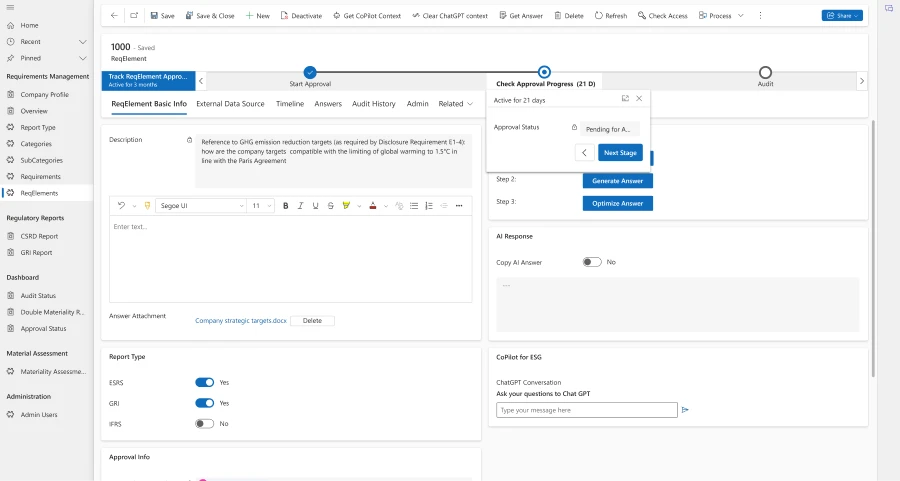
Accenture and Avanade’s generative AI-powered solution allows users to select from different reporting frameworks and adapts to the specific requirements of the chosen framework, displaying relevant categories and reporting structures. Users can access the breadth and depth of their data and translate it into the necessary reporting frameworks. This flexibility is crucial for organizations that are subject to multiple reporting obligations or need to adhere to international standards beyond local mandates. 

Leverage AI to simplify CSRD reporting

Streamlining data management using Microsoft Azure OpenAI Service


Accenture and Avanade’s solution addresses the dual challenges of qualitative and quantitative data in sustainability reporting, utilizing Azure OpenAI for enhancing its reporting capabilities, especially for qualitative data input. Using Azure OpenAI to create an AI assistant, Accenture and Avanade’s solution offers a unified platform for sustainability reporting, simplifying the process of compiling CSRD reports, making it easier for users to interact with data and generate reports quickly.

◉ Qualitative data management: Leveraging Azure OpenAI integration, Accenture and Avanade’s solution assists in drafting responses to qualitative questions, such as detailing a company’s sustainability policies, practices, and goals. This AI assistant ensures that responses are not only in keeping with reporting standards but also reflective of best practices and forward-thinking sustainability strategies.
◉ Quantitative data management: The integration of Microsoft Sustainability Manager allows for the automatic import of calculated quantitative metrics. This means that insights or recommendations provided by Accenture and Avanade’s solution is informed by the data in the user’s ESG platform. The AI assistant enables identification of trends and patterns in both qualitative and quantitative data sources, aiding in a more holistic analysis. 

An enhanced collaborative workflow


One of the biggest pain points that companies have related to ESG reporting is managing the approval workflow with multiple process and approval steps. It’s important to have a trail of accountability, which depending on organization size, can exist across several departments and users. Accenture and Avanade’s solution enables organizations to assign responsibility and accountability, thereby streamlining the process of preparing the report and its associated approval processes. 

Importantly, team members can work on the same sections of the report simultaneously and the platform maintains comprehensive audit trails of all changes made to the report. This transparency is vital for accountability, enabling team leaders to monitor progress and ensure that all contributions align. 

Leverage AI to simplify CSRD reporting

Source: microsoft.com

Saturday, 22 June 2024

6 findings from IoT Signals report: Manufacturers prepare their shop floor for AI

6 findings from IoT Signals report: Manufacturers prepare their shop floor for AI

Manufacturers are embracing AI to deliver a new level of automation, optimization, and innovation. To unlock the full potential of AI on the shop floor, organizations are testing and investigating technologies and paradigms that empower them to leverage their data more effectively.

Microsoft, in partnership with IoT Analytics market research firm, conducted a global survey of manufacturers to gain insight into how they are seizing the AI opportunity while navigating key industry challenges. We asked manufacturers about their current priorities and future visions, their adoption of modern technologies and paradigms, and the benefits they expect from those technologies 

In this report, we share the key findings from the survey, to show how manufacturing enterprises are preparing their shopfloors for AI to make them secure, scalable, and automated and how they are adopting advanced technologies such as centralized device management, software containerization at the edge, and unified industrial data operations to accelerate that process.

Six findings from manufacturers preparing their shop floor for AI


1. Scale matters the most in the era of AI


Scalability was the main concern for 72% of survey respondents, who highlighted this paradigm as crucial for their factory’s future. Scalability came first, followed by automation and serviceability. These paradigms ensure that factories can efficiently expand with demand, optimize with minimal manual decision making, and maintain high uptime through easy troubleshooting and maintenance. 

What does scale look like for industrial environments? 

Manufacturers face the challenges of keeping up with the changing demands of the market, the regulations, and the competition. They also recognize the potential of AI to transform their operations, optimize their processes, and enhance their products. But they don’t have the luxury of spending months or years on deploying and scaling solutions across their plants. Manufacturers need a faster way to move, a smarter way to manage, and a more flexible way to adapt. That’s why we have introduced a new approach—the adaptive cloud approach. 

2. Cybersecurity and data management are top of mind right now 


Security risks and data handling difficulties pose serious problems, with 58% of respondents seeing cybersecurity as a severe issue and 49% seeing data management as a severe issue. These concerns are motivating customers to improve network security and ensure data is reliable and accessible for decision-making. 

What does security look like for industrial environments? 

Security and data protection are critical for the manufacturing sector, as the sector faces increasing regulatory standards and cyber threats. Manufacturers need to secure existing devices, and plan during device refresh to choose devices that meet industry security standards, will enable them to more easily comply with regulatory standards, and provide security to defend from the latest security threats.

3. Device management is critical for security and data handling 


Device management’s value is evolving beyond updates and device health monitoring to also address security risks and data flow management. The survey data supported this trend, with 68% of respondents noting that the security monitoring aspect of device management was very or extremely important to their organization and 59% of respondents highlighting data management as the second most important aspect of device management. 

Why is centralized device management important? 

Centralized device management is vital for ensuring the performance and security of operations in a factory setting. It helps to keep devices secure and functioning optimally, which contributes to the overall efficiency and productivity of a manufacturing environment. Effective management also enables better oversight and control over the factory processes, improving operational reliability and supporting scalability and adaptability in a dynamic industrial landscape.

4. Containerized workloads are coming to the shop floor 


The adoption of containerized software on the shop floor is rising, with 85% of survey respondents already utilizing this technology. This shift towards containerization at the edge signifies a move to improve operational efficiency, system stability, and security. 55% of respondents indicated that containerized software could significantly or extremely mitigate reliability and uptime challenges, while 53% indicated it could do the same for cybersecurity challenges.

What is containerized software? 

Software containerization enables consistent and repeatable development and deployment of solutions across different environments, in the cloud and in factory. Containerization of OT software is essential for the AI-powered factory of the future, as it enables seamless technology deployment in scalable, serviceable, and automated factories. Kubernetes automates the scaling and management of containerized applications, saving time and resources for manufacturers.

5. Industrial data operations optimize OT data management


Companies want to combine information technology (IT) and operational technology (OT) systems for context driven decision making. 52% of respondents indicated that having a combined IT and OT data platform was very or extremely important for their company. Industrial data operations enhance the integration of IT and OT data by improving data flow, quality and value; therefore, 87% of companies have already adopted industrial data operations technology in some form or are planning to do so.

What are industrial data operations? 

Industrial data operations delivers data in a reliable, real-time manner for optimizing factories and plants. Industrial data operations manages and unifies data from various sources, facilitates seamless integration of information, and ensures data is accessible and usable for decision-making purposes. Industrial data operations helps break down data silos and improve predictive insights through an exchange and integration between shop floor and cloud environments.

6. Respondents are investing in underlying data architecture for AI 


According to the study, manufacturers plan to invest in AI-powered factories of the future within the next two years. On average, respondents expected their organizations to increase their investments in software for orchestrating edge AI by 11%. This investment shows that they recognize the need to overcome technical and skill gaps to fully exploit AI’s capabilities in future manufacturing processes. 

How to invest in underlying architecture for AI? 

Microsoft recommends adopting advanced technology frameworks such as centralized device management, software containerization at the edge, and unified industrial data operations to accelerate industrial transformation and prepare for AI. Azure’s adaptive cloud approach embraces all three advanced technology frameworks. 

Accelerate industrial transformation in manufacturing


A comprehensive survey of manufacturers’ priorities, challenges, and plans for adopting new technologies, such as these, in their factories to prepare for AI. The report shows that manufacturers are looking for solutions that can help them secure, scale, and automate. Microsoft Azure is responding to these needs with its adaptive cloud approach, which offers a flexible and scalable platform for managing devices, applications, and integrated data across the edge and the cloud.

Source: microsoft.com

Thursday, 20 June 2024

Improve cloud performance and reliability with a guided learning plan

Improve cloud performance and reliability with a guided learning plan

Businesses have committed to the cloud for its scalability, agility, and security. As customers continue to deepen their investments in cloud and AI services and environments become more complex, the need for proper cloud management increases. Continuous improvement and careful management through all phases of your cloud journey helps avoid unexpected costs and inefficient resource allocation while improving security and reliability. Strategic optimization delivers the resiliency to efficiently and securely handle fluctuating workloads with ease, ensuring you manage your environment for optimal performance.

For cloud professionals looking to systematically upskill and validate their expertise, we’ve created a powerful learning resource called Plans on Microsoft Learn. These customized learning journeys provide a guided, structured approach to mastering specific technical domains and roles with specific learning objectives and milestones. Our official plan, “Improve Reliability, Security and Performance on Azure”, provides learning modules and resources on tools and best practices from Microsoft that can help your business elevate reliability, security, and performance of your cloud and AI investments.

What are Plans on Microsoft Learn?


Plans on Microsoft Learn are hand-crafted curricula that bundle together related Learn modules, learning paths, and certifications into milestones with a logical, end-to-end educational experience. Track progress and percent-completion of each milestone as you work through the plan. Each plan is meticulously designed by Microsoft technical and learning experts to build comprehensive skills for a particular job role or competency area.

Plans offer an efficient, curated approach for learners to navigate Microsoft’s extensive training library. Rather than having to sift through the catalog of individual resources, plans lay out an optimal sequence tailored to each topic and learning objective. They start with fundamentals and progressively advance to more specialized subjects through thoughtful progression.

Beyond just compiling content, plans incorporate hands-on activities, knowledge checks, certifications, and other engagement tools to reinforce practical skills. Up-to-date Microsoft Azure technical content is seamlessly woven in, allowing learners to receive the latest cloud best practices.

What are the benefits of Plans on Microsoft Learn?


While the self-guided flexibility of Microsoft Learn is incredibly empowering, following an official plan yields some distinct benefits:

  • Comprehensiveness. Plans provide complete coverage of all the concepts and skills required to truly master a domain, leaving no gaps.
  • Efficiency. The resources within plans are carefully curated, allowing learners to laser-focus their efforts on just what’s needed.
  • Structure. Clear start-to-finish learning paths prevent knowledge fragmentation and facilitate efficiently building specialized skillsets.
  • Hands-on. Built-in coding, labs, and other interactive components solidify skills through applied practice.
  • Validated expertise. Plans can incorporate certifications to formally validate and prove proficiency.
  • Latest skills. Leveraging Microsoft’s deep technical expertise, plans rapidly integrate the latest cloud service updates and best practices.

What will I learn in the “Improve Reliability, Security and Performance on Azure” Plan?


With cloud spend efficiency becoming an ever-growing priority, these optimization skills are invaluable to organizations seeking to maximize their ROI from Azure. Among our official Learn Plans, the “Improve Reliability, Security, and Performance on Azure” Plan stands out for its immense business value and career impact potential. This comprehensive curriculum is designed to equip learners with deep skills for confidently designing, implementing, and managing cost-optimized Azure architectures at scale.

The Plan kicks off with fundamental cloud concepts like subscription management and organizational structure. It covers core Azure services like virtual machines, storage, databases, and networking through an optimization lens.

Learners then progress to more advanced cost optimization strategies such as reservation model pricing, Microsoft Azure Hybrid Benefit, and the Microsoft Azure Consumption Commitment. Monitoring, analytics, and automation techniques are explored for proactively identifying inefficiencies and waste.

Throughout, learners get hands-on practice with cost management and optimization tools like Azure Advisor, Azure Pricing Calculator, and Cost Management + Billing. Real-world design scenarios challenge them to apply optimization best practices end-to-end.

For those seeking validation, this Skilling Plan aligns perfectly with the AZ-305: Designing Microsoft Azure Infrastructure Solutions expert-level certification exam.

Upon completing the Plan, learners will have cultivated a comprehensive, job-ready skillset for designing and implementing cost-optimized, high-scale Azure architectures. This turbo-charges their impact across roles like cloud architects, solution engineers, cloud administrators and more.

Who should engage with this Plan?


This Azure Skilling Plan is designed for a broad audience, including:

  • Cloud architects and engineers. Gain the skills to design and implement optimized Azure solutions from the ground up.
  • Developers. Learn how to build applications that are inherently cost-efficient and performant.
  • IT pros. Understand how to manage and optimize your existing Azure resources.
  • Anyone with a passion for the cloud. Whether you’re new to Azure or an experienced pro, this plan offers valuable insights and practical skills to level up your cloud game.

Source: microsoft.com

Tuesday, 18 June 2024

Get the best value in your cloud journey with Azure pricing offers and resources

Get the best value in your cloud journey with Azure pricing offers and resources

Cloud computing continues to transform the way businesses operate, innovate, and compete. And whether you’re just moving to the cloud or already have an established cloud footprint, you may have questions about how to pay for the services you need, estimate your costs, or optimize your spending. To help answer these questions, Azure provides a variety of resources and offers to help you get the best value at every stage of your cloud journey. 

Read More: DP-500: Designing and Implementing Enterprise-Scale Analytics Solutions Using Microsoft Azure and Microsoft Power BI

This blog post will show you how to approach and think about pricing throughout your cloud adoption journey. We will also give an example of how a hypothetical digital media company would approach their Azure pricing needs as they transition from evaluating and planning to setting up and running their cloud solutions. After reading this post, you will know more about how to select the best Azure pricing option for your business objectives and cloud needs.

Find guidance and resources to navigate Azure pricing options

If you are new to Azure or cloud computing in general, you may want to learn the basics of how cloud services are priced, and what options you have for paying for them. Azure offers a variety of pricing options to suit different needs and scenarios, from free tier and pay-as-you-go to commitment and benefits. Here’s a brief overview of each option: 

Free tier: You can get started with Azure for free, and access over 25 services for 12 months, plus $200 credit to use in your first 30 days. You can also use some services for free, such as Azure App Service, Azure Functions, and Azure DevOps, with certain limits and conditions. The free tier is a great way to explore Azure and learn how it works, without any upfront costs or commitments. 

Pay-as-you-go: You can pay only for the services you use or consume, based on the measured usage and the unit prices of each service. For example, you can pay for the number of virtual machine (VMs) hours, the amount of storage space, or the volume of data transferred. Pay-as-you-go is a flexible and scalable option that lets you adjust your usage and costs according to your changing needs and demands. 

Estimate Azure project costs 

If you have a new project to migrate to or build in Azure, you need an accurate and realistic estimate of your project costs to make an informed decision about moving forward. To help with this decision, Azure provides several tools and resources, such as: 

TCO calculator: You can use the Total Cost of Ownership (TCO) calculator to estimate how much you can save by migrating your on-premises workloads to Azure. You can input your current infrastructure details, such as servers, storage, and network, and see a detailed comparison of the costs of running them on-premises versus on Azure. 

Azure Migrate: You can use Azure Migrate to assess and plan your migration to Azure. You can discover and evaluate your on-premises servers, databases, and applications, and get recommendations on the best Azure services and sizing options for them. You can also get estimated costs and savings for your migration scenario and track your progress and readiness. 

Azure Architecture Center: You can get guidance for architecting solutions on Azure using established patterns and practices such as OpenAI Chatbots, Windows VM Deployment, and Analytics end-to-end with Azure Synapse with cost factors included. 

Calculate costs of Azure products and services 

If you are ready to deploy specific Azure services and you want to budget for them, you may want to consider the different pricing options and offers that are available for each service. Azure provides resources and guidance on how to budget for specific Azure services, such as: 

Azure pricing calculator: Estimate your monthly costs based on your expected usage and configuration such as region or virtual machine series. 

Product pricing details pages: Find detailed pricing information for each Azure service on its pricing details page. You can see the pricing model, the unit prices, the service tiers, and the regional availability.

Azure savings plan for compute: An easy and flexible way to save up to 65% on select compute services, compared to pay-as-you-go prices. The savings plan unlocks lower prices on compute services when you commit to spend a fixed hourly amount for one or three years. You choose whether to pay all upfront or monthly at no extra cost. 

Azure reservations: Reserve Azure resources, such as VMs, SQL Database, or Cosmos DB, for one or three years and save up to 72% on your cloud costs. Improve budgeting and forecasting with a single upfront payment that makes it easy to calculate your investments. Or lower your upfront cash outflow with a monthly payment option at no additional cost. 

Azure Hybrid Benefit: Apply your existing Windows Server, SQL Server licenses with active Software Assurance or subscriptions to Azure Hybrid Benefit to achieve cost savings. Save up to 85% compared to standard pay-as-you-go rates and achieve the lowest cost of ownership when you combine Azure Hybrid Benefit, reservations savings, and Extended Security Updates. You can also apply your active Linux subscription to Azure Hybrid Benefit. 

Manage and optimize your Azure investments 

If you are already using Azure and you want to optimize your spend for your current Azure workloads, you may want to review your usage and costs, and look for ways to enhance your investments. Azure provides several tools and resources to help you with this process, such as: 

Microsoft Cost Management: You can use Microsoft Cost Management with Copilot to monitor and analyze your Azure spending, and to create and manage budgets and alerts. You can see your current and forecasted costs, your cost trends and anomalies, and your cost breakdown by service, resource group, or subscription. You can also get recommendations on how to optimize your costs. 

Azure Advisor: You can use Azure Advisor to get personalized and actionable recommendations on how to improve the performance, security, reliability, and cost-effectiveness of your Azure resources. You can see the potential savings and benefits of each recommendation and apply them with a few clicks. 

FinOps on Azure: You can leverage FinOps best practices on Azure to empower your organization by fostering a culture of data-driven decision-making, accountability, and cross-team collaboration. This approach will help you maximize investments and accelerate business growth through improved organizational alignment 

An example of a company’s cloud journey and pricing needs 

To illustrate how a customer can choose the best pricing option and resources for their cloud journey, let’s look at an example. Contoso, a hypothetical digital media company, wants to migrate their infrastructure and build a new OpenAI Chatbot application in Azure. Here’s how they would think about their Azure pricing needs at each stage of their journey: 

Considering Azure: Contoso wants to understand how Azure pricing works. They use the free tier to try out some Azure services to test functionality. They also leverage the pay-as-you-go model to explore how some services are billed. 

Assess and plan Azure projects: Contoso needs to estimate their project costs. To compare the costs of running on-premises versus on Azure they input their on-premises server infrastructure in the TCO calculator. They also use the Azure Architecture Center to learn how to develop an OpenAI chatbot with best practices.

Deployment in Azure: Contoso is ready to migrate their environment and deploy their company’s chatbot app and wants to budget for the specific Azure services needed. They leverage the product specific pricing pages and the pricing calculator to estimate their monthly costs based on their expected usage and configuration. They purchase Reservations for their stable and predictable VMs and Azure Database usage. They already have on-premise Windows Server licenses, so they enroll in Software Assurance to get a credit for those licenses with the Azure Hybrid Benefit when deploying their VMs to save on operating costs.

Post-deployment optimization in Azure: After running their environment on Azure for a few months, Contoso wants to review and optimize their workloads. They use Azure Advisor to get personalized and actionable recommendations on how to enhance their cost-effectiveness. Leveraging these recommendations, they purchase Azure savings plan for compute for their dynamic compute workloads that may change regions or scope and right-size their VMs.

Source: microsoft.com